Hotline: 1-866-986-BYOD
Kyocera
Kyocera and Codeproof worked closely together to integrate the Codeproof platform with Kyocera’s ruggedized waterproof, dustproof, and shockproof DuraForce Pro2 handsets. With an integrated MDM solution, business organizations can remotely manage Kyocera devices from the Codeproof cloud console to establish secure, profitable, and productive enterprise mobility practices at the workplace.
Kyocera integrates with Codeproof in two phases.
Android Enterprise (AE) integration
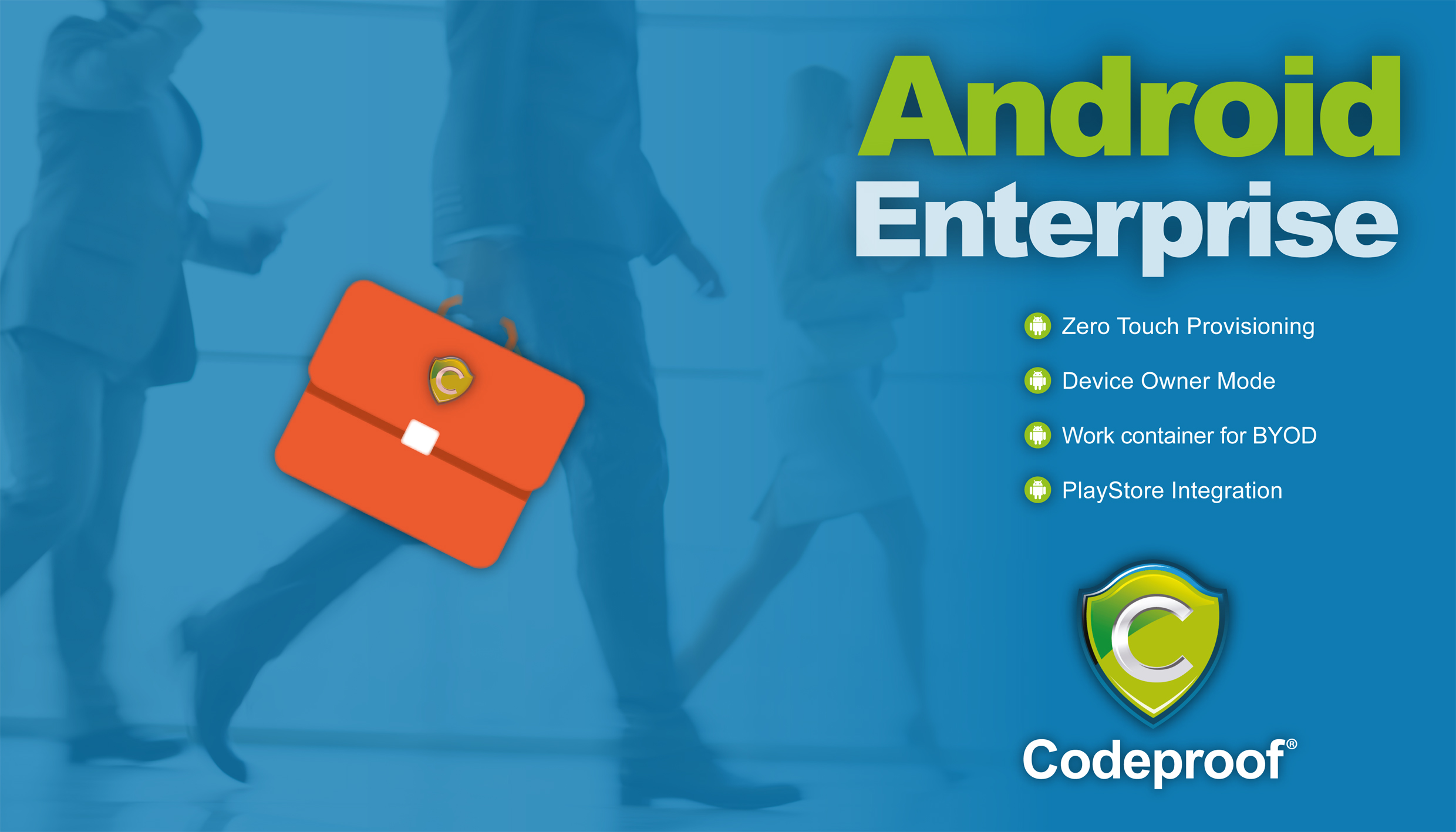
Kyocera brand corporate-owned and BYOD devices are enrolled and provisioned using the AE MDM framework.
AE provides a set of device restriction policies and containerization for both corporate-owned and BYOD devices. For deep integrations, Kyocera also offers OEMConfig App with the AE managed configurations.
OEMConfig integration
OEMConfig is a set of device configurations offered by OEM (Original Equipment Manufacturers) as an Android app. These configurations are called managed configurations used by EMM providers to remotely restrict and control fully managed or company- owned devices.
In the past, device manufactures offered their own device management SDKs to EMM vendors but integrating them was cumbersome and not easily deployable due to different versions of SDKs from various OEMs.
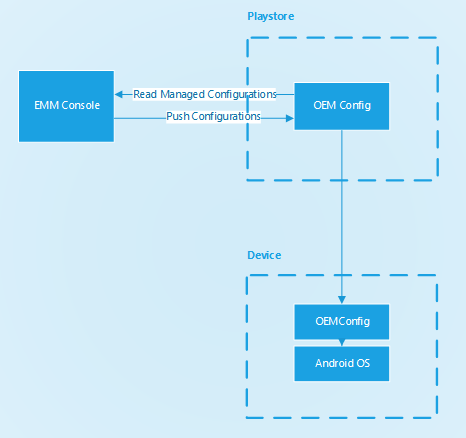
The Kyocera OEMConfig app supports a wide range of managed configurations, including whitelisting of incoming and outgoing calls, various devices restrictions including blocking power button, camera button, etc.
For more information, Please read the Codeproof's Kyocera OEMConfig integration guide.
Supported Kyocera rugged Android devices
Codeproof MDM supports Kyocera's full family of ruggedized smartphones built for first responders, field service, construction, transportation, and industrial use:
- Kyocera DuraForce Pro 2 - waterproof / shockproof, 4.5" display, dedicated PTT button
- Kyocera DuraForce Pro 3 - 5G, IP68 + MIL-STD-810H, programmable PTT and emergency keys
- Kyocera DuraForce Ultra 5G - flagship rugged with 6.1" sapphire display
- Kyocera DuraSport 5G UW - mid-range rugged for everyday field work
- Kyocera DuraXV Extreme - rugged feature-phone (where applicable)
Devices are typically distributed through T-Mobile, Verizon, AT&T, and FirstNet carriers - all of which support zero-touch enrollment into Codeproof.
Where teams deploy Kyocera + Codeproof
Public safety & first responders
Police, fire, and EMS teams use DuraForce devices because they survive water, dust, and drops. Codeproof adds CJIS-aware policy, encrypted secure messaging, and instant remote wipe.
Construction & field service
Jobsite tablets and technician phones get OEMConfig-driven button mapping, glove mode, and lockdown to specific work apps. Selective wipe on contractor offboarding.
Transportation & delivery
Driver phones run dispatch and ELD apps with DriveSafe distracted-driving controls, geofencing, and PTT for fleet coordination.
Manufacturing & energy
Plant-floor operators use DuraForce devices alongside Zebra / Honeywell handhelds. Codeproof unifies policy across vendors with OEMConfig.
Kyocera OEMConfig controls in Codeproof
- Programmable hardware keys: remap PTT, emergency, and side buttons to launch specific apps or actions
- Glove mode and high-sensitivity touch for cold-weather / gloved use
- Underwater / wet-touch mode behavior
- Camera and microphone controls: disable in sensitive zones (combine with SiteSecure)
- USB peripheral restrictions for storage and tethering
- Call allow / deny lists: whitelist dispatch and emergency numbers; block premium / international
- Power button behavior: prevent users from rebooting or disabling devices in the field
- Push-to-talk (PTT) routing: pair Kyocera PTT keys with approved PTT apps
Enrollment options for Kyocera
- Android Zero-Touch: bulk pre-assign Kyocera devices via the carrier or reseller; auto-enrolls on first boot
- QR code /
afw#enrollment: scan a code during setup wizard for fast manual enrollment - EMM token enrollment: paste a short token for quick onboarding
- BYOD work profile: separate Kyocera personal devices into work and personal containers
Kyocera MDM FAQs
Which Kyocera devices support Codeproof MDM?
How do I configure the PTT and emergency buttons?
Does Kyocera support zero-touch enrollment?
Can I run DuraForce devices in kiosk mode?










"Throughout my experience with Codeproof, it has worked flawlessly. Even more importantly, Codeproof support is unrivaled."

Working with Codeproof has been a relief, it allows our company to have control over software and devices and visibility to ensure our employees have the proper equipment to do their job each and every day.

We didn’t make a single compromise to get the protection we wanted and needed.

We have site phones that we need locked and tracked. We have recovered lost or stolen phones...and pushed new apps remotely.

The Codeproof platform not only assists in fleet management, it has made retrieving company property far more reliable.
Customer support is always accessible, and the team consistently goes out of their way to ensure the MDM platform meets all of our needs.

Codeproof had the right balance of easy individual device configuration and group-level settings, as well as an excellent support team and willingness to add new features to meet our needs, all at a competitive price.

Having our employees work in remote locations, Codeproof has really helped us manage our devices...They are very helpful and detailed when explaining thing.

Codeproof has made device management much easier than some larger MDM solutions. From the beginning of our trial Console, up to the present, we were able to easily contact the development team at Codeproof with any ideas for improvements.

With Codeproof, the first thing I noticed is that the UI is much more intuitive and simpler to navigate. I feel like there are as many, if not more, features available to me in Code Proof but they are a little easier to find.

Foundation is so grateful for the partnership with Codeproof and their willingness to support students and families in need of literacy resources. While our technical needs are likely less than that of other companies, we have found great value in the Codeproof product.

Codeproof has great customer support. If there is an issue, or if we need assistance with anything, they are very quick to respond and lend a hand.

Terrapin Pharmacy’s Executive Management and Technology Developers would be extremely likely to recommend Codeproof to others based upon the interactions we have had with the Codeproof team and the can-do culture within their organization.

Codeproof is a very comprehensive MDM product. We received great service at all times from their technicians when we had issues. They are continually working on improving the product with feedback from customers like us, so we can have better control of our remote equipment.

[An] upbeat, well-organized, and helpful company. Codeproof provided superior customer support during a time of uncertainty.

Codeproof has been an asset in maintaining security, control and reducing liability of our mobile devices by allowing us blanketed control of our mobile fleet at all times regardless of day and location. It will continue to be the foundation for our mobile security for now and the future. Their security options and scalability is priceless.

I chose Codeproof over other players in the market because it's simple and customizable dashboard caters to the needs of my business. Codeproof tries to find solutions and treats you as partners rather than just a customer.

I chose Codeproof for our internal MDM solutions over other options because the case study and utilization of the system were very understandable. It decreased our potential costs related to device investments while increasing device security and reducing operational costs.